











Pre-Order
Io
$39.20 USD$49.00 USD
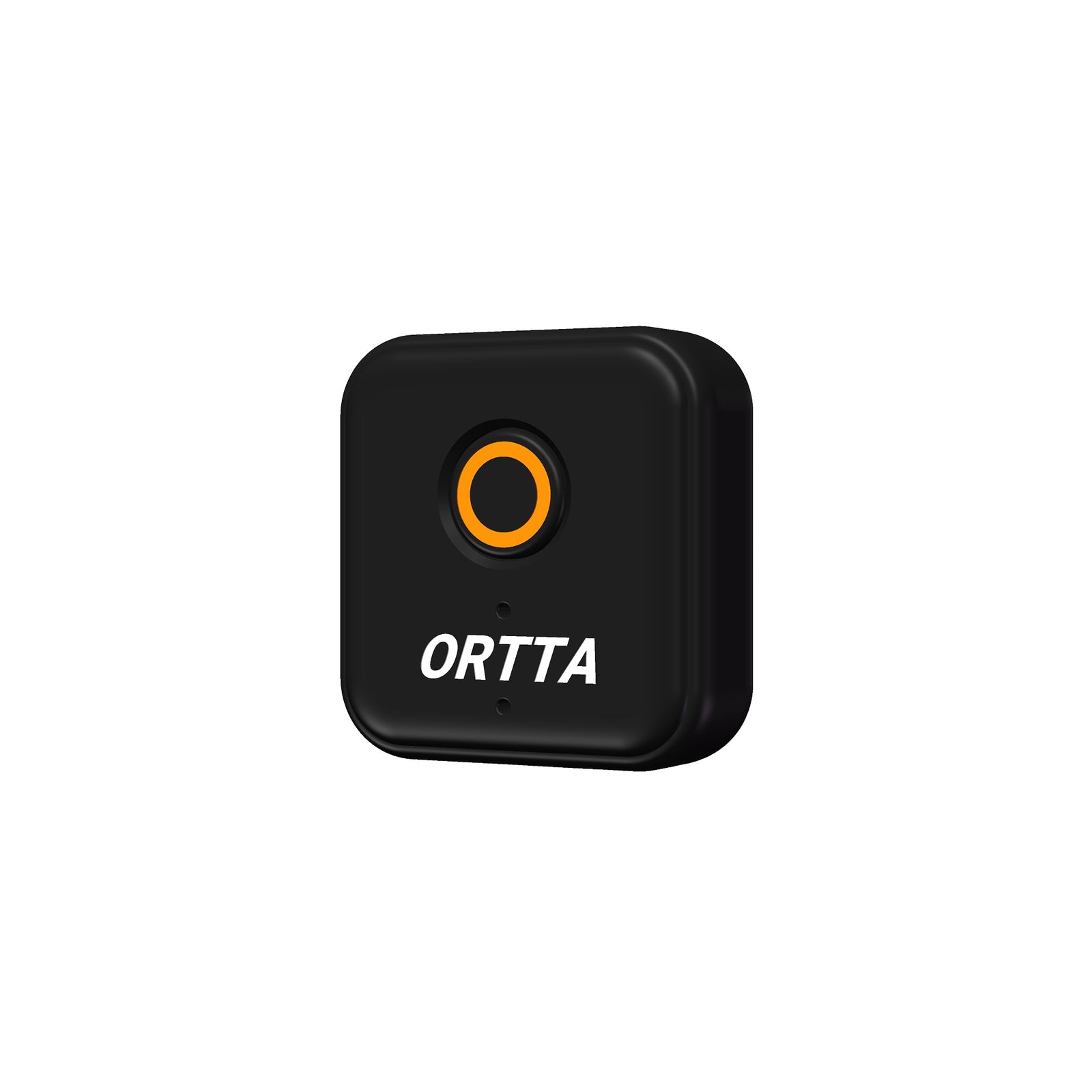
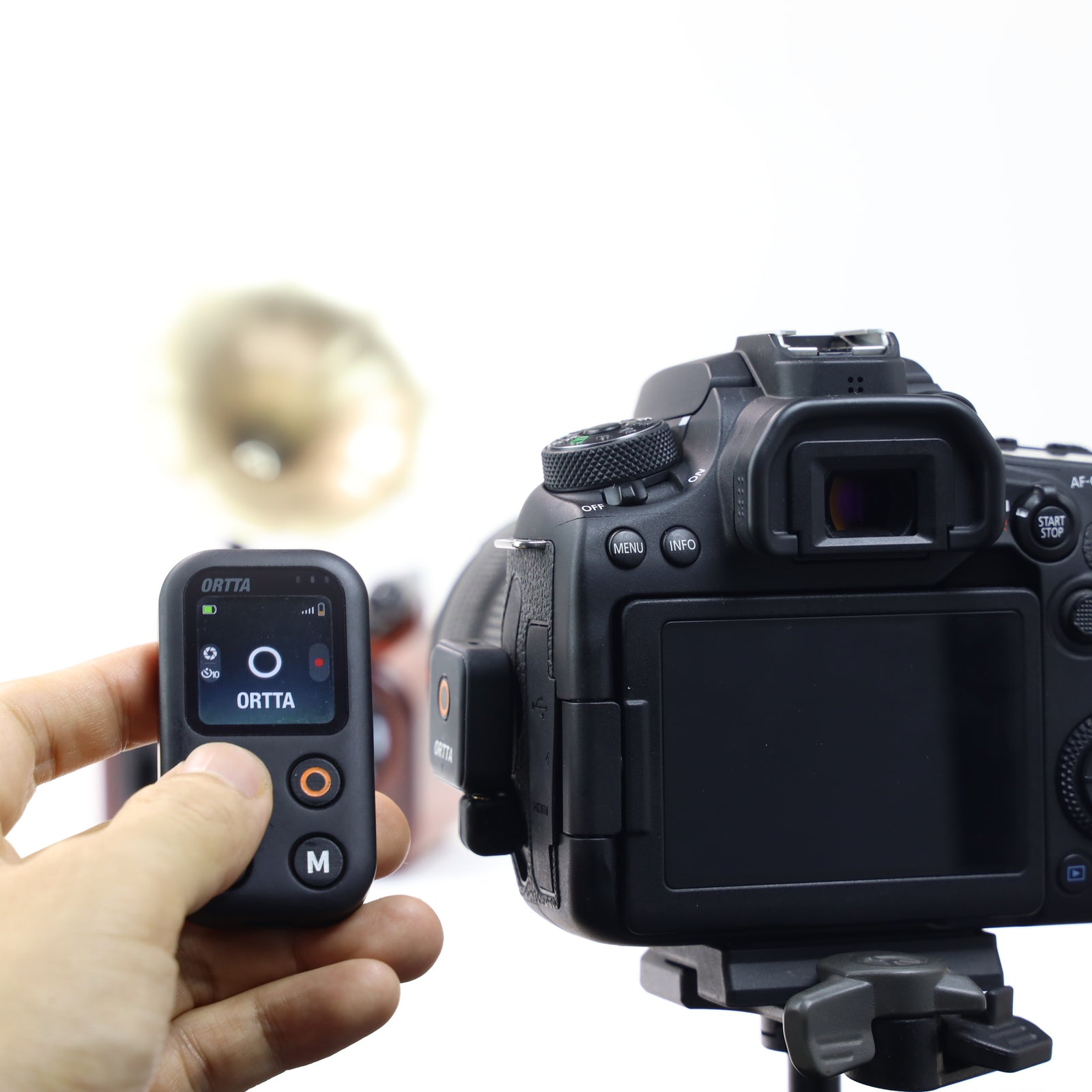
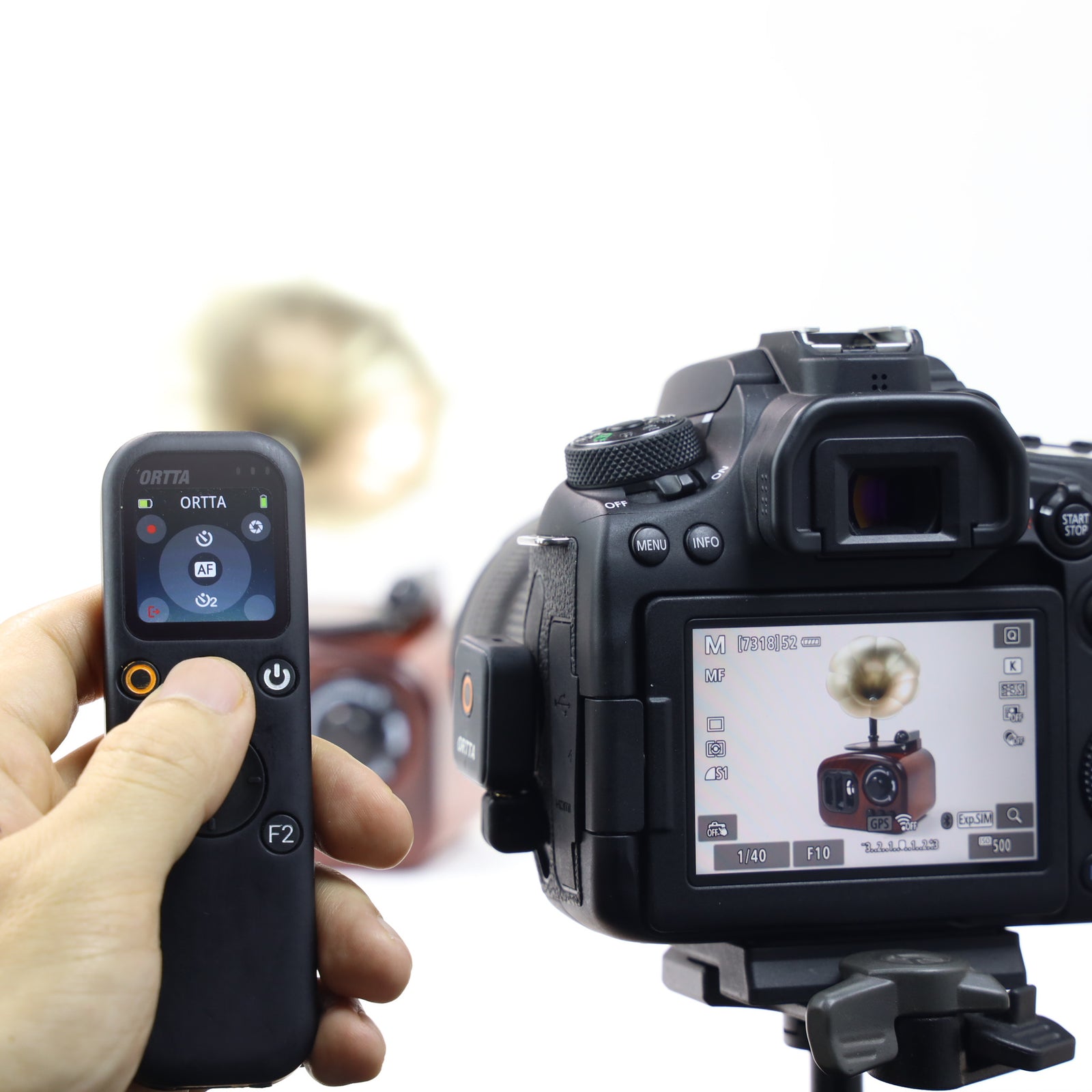
Tiny Bluetooth receiver for the shutter-release socket. Hang it on your camera and fire the camera from your Ortta remote, phone or watch.
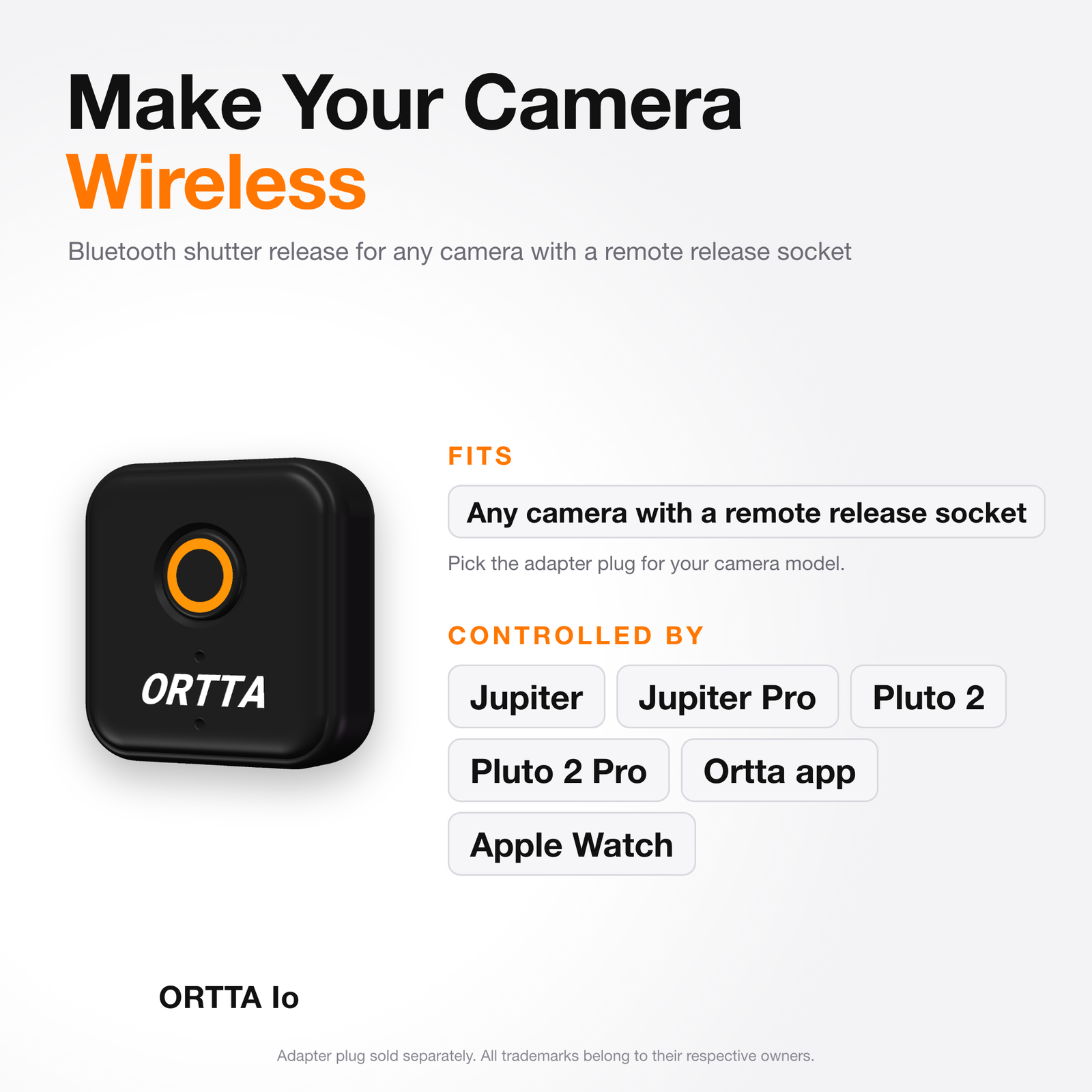
- Works with any camera that has a remote-release socket. No Bluetooth needed in the camera
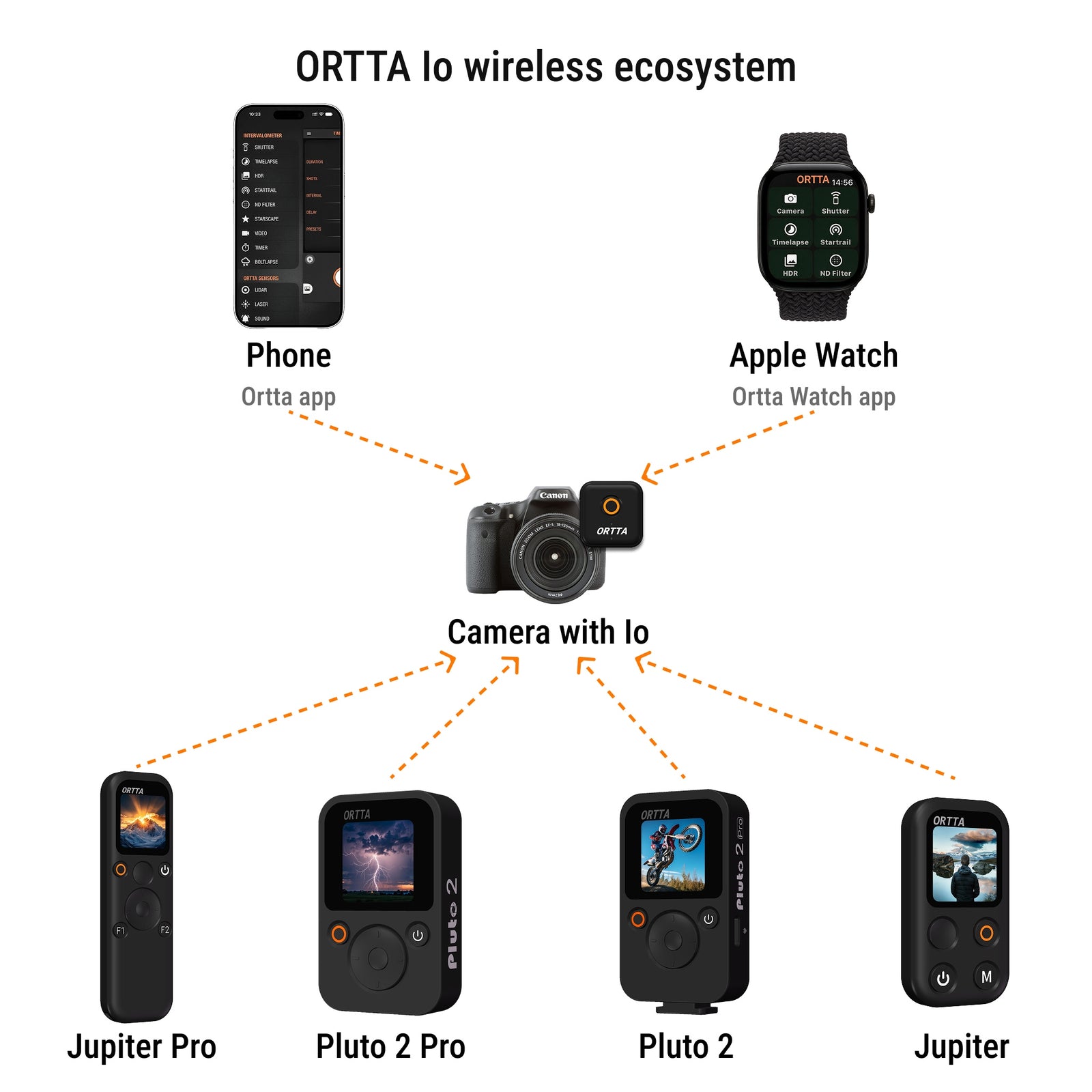
- Used by Jupiter, Jupiter Pro, Pluto 2 and Pluto 2 Pro, and by the Ortta app and Apple Watch
- Shutter, Timelapse, HDR, Startrail, Video, Timer, ND Filter and Starscape programs that keep running if the remote disconnects
- One Io per camera: fire several cameras at once. 8 g, about 8 days of battery
Adapter plug sold separately. See the camera compatibility list.
ORTTA
One Remote to Trigger Them All


Always on the camera
Hang Io on the camera strap with the lanyard, with the adapter plug fitted. When you need it, turn the plug and push it into the remote-release socket. No cable to carry and nothing on the hot shoe.


Any camera with a release socket
Io fires any camera that has a remote-release socket, with no Bluetooth in the camera. There are about ten adapter plugs, one or more for each camera model. Choose yours from the compatibility list.


Several cameras at once
Put an Io on each camera and enable them on Jupiter, Jupiter Pro, Pluto 2 or Pluto 2 Pro. One press of Shutter fires every camera together, up to 6 at once. Add a GoPro or your phone to the same group.


Programs from your wrist or phone
Start timelapse, HDR, startrail and ND filter shots from the Ortta Watch app or the Ortta app. The program runs on Io, so the camera keeps shooting even if your remote turns off or goes out of range.
A receiver that stays on your camera
Fires any camera with a remote-release socket from your Ortta remote, the app or your watch. Up to 2 remotes or apps can connect at once.
Receiver for Ortta remotes
Jupiter, Jupiter Pro, Pluto 2 and Pluto 2 Pro fire the camera through Io.
Shooting programs
Shutter, Timelapse, HDR, Startrail, Video, Timer, ND Filter and Starscape.
Smart Sensors
Fire the camera from phone sound, vibration, motion, distance, voice or a smile.
Apple Watch
Start Shutter, Timelapse, Startrail, HDR and ND Filter from your wrist, with no phone.
Phone camera remote
The button on Io takes a photo with the Ortta Camera app on your phone.
One-button photo
Click the button on Io to take a photo. Hold it for 2 seconds to turn Io off.
Small and light
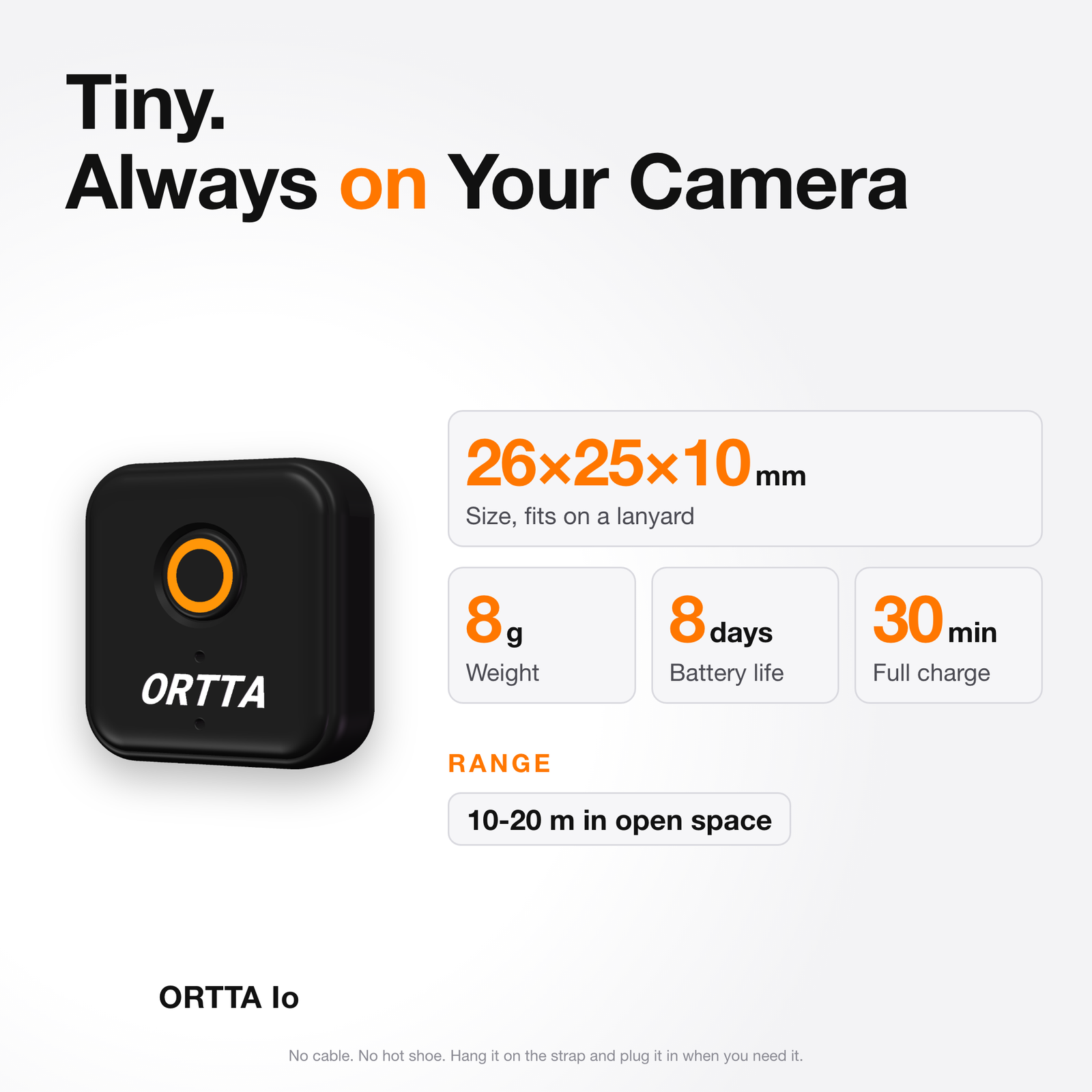
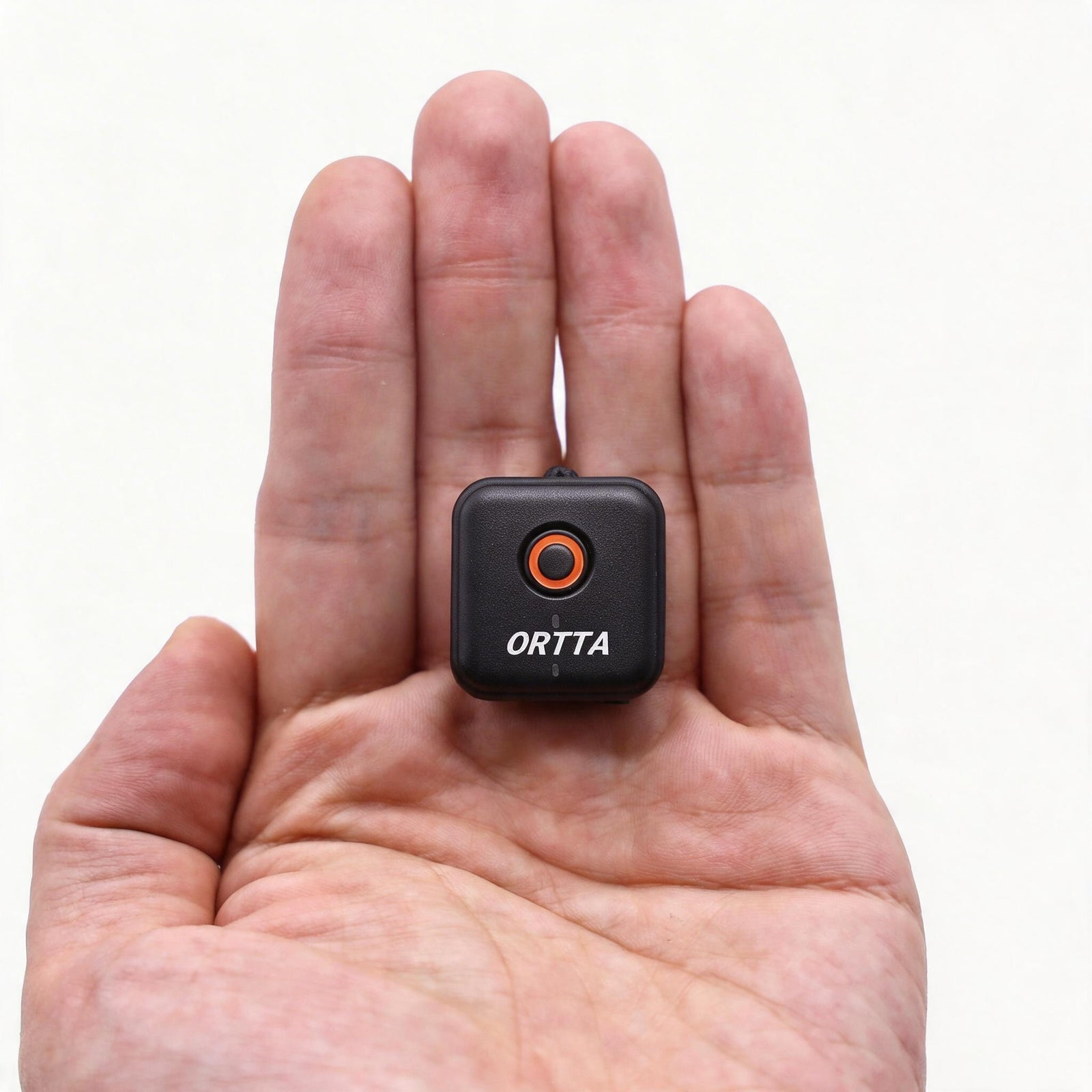
26 × 25 × 10 mm and 8 g. About 8 days of battery, and it turns itself off after 30 minutes with no connection.
Geotag for Nikon
Use Ortta Io for Nikon to write the position into Nikon photos.
Programs run on Io
Set them up and start them from your remote, the Ortta app or the Watch. Io keeps the camera shooting if the remote disconnects.

Shutter
One photo with a self-timer, or a bulb exposure.

Timelapse
Photos at a regular interval.

HDR
A series of photos with different shutter times, in Bulb mode.

Startrail
A long series of photos for star-trail stacking.

Video
Start and stop recording.

Timer
Starts a program at a set time.

ND Filter
Long exposure for the ND filter value you choose.

Starscape
Works out the longest exposure that keeps stars sharp.
Io fires the camera but does not change its settings. Set exposure, ISO and aperture on the camera first. HDR needs BULB mode.
Io vs Io Pro
 Io |
 Io Pro |
|
|---|---|---|
| Size | 26 × 25 × 10 mm | 37 × 26 × 11.5 mm |
| Weight | 8 g | 14 g |
| Connects to the camera by | Shutter cable | USB (PTP) |
| Live preview | – | Yes |
| Photo review | – | Yes |
| Full-size JPEG over Wi-Fi | – | Yes |
| Geotag | Nikon, with Io for Nikon | Canon |
| Shooting programs | 8 | 8 |
| Smart Sensors and Watch app | Yes | Yes |
| Fires cameras with no Bluetooth | Yes | Yes |
| Battery | 100 mAh | 300 mAh |
| Runtime, connected | About 8 days | About 8 h |
| Charging | About 30 min | About 1 h |
Get the Ortta apps
Ortta app
Set up and start programs, and use the Smart Sensors of your phone to fire the camera.


Ortta Camera
Turn a phone into a camera that the button on Io can fire.


Connect your camera
Choose the adapter plug that fits the remote-release socket of your camera.
Any release socket
Works with any camera that has a remote-release socket.
No camera Bluetooth needed
Io has its own Bluetooth. The camera only needs the socket.
About ten adapter plugs
Camera brands use different plugs. Sold separately.
Hangs on the strap
Plug it in only when you need it. No cable and no hot shoe.
It fires, it does not set
Set exposure, ISO and aperture on the camera first.
Need live preview?
Io Pro connects over USB and shows live preview and photo review.
All trademarks belong to their respective owners.


Cameras with a shutter-release socket
Io fires a camera through its remote-release socket, so the camera does not need Bluetooth. Camera brands use different plugs, so find the adapter plug for your model in the compatibility list. For live preview and photo review over USB, see Io Pro.
- E3: 1000D, 1100D, 1200D, 1300D, 1500D, 2000D, 100D, 200D, 250D, 300D, 350D, 400D, 450D, 500D, 550D, 600D, 60D, 60Da, 650D, 700D, 750D, 760D, 850D, 70D, 77D, 80D, 90D, 8000D, Kiss Digital, Kiss Digital F, Kiss Digital N, Kiss Digital X, Kiss X2, Kiss X3, Kiss X4, Kiss X5, Kiss X50, Kiss X70, Kiss X6i, Kiss X7i, Kiss X8i, G1X, G1X II, G1X III, G3X, G5X, G10, G11, G12, G15, G16, SX50 HS, SX60 HS, SX70 HS, Digital Rebel, Rebel SL1, Rebel SL2, Rebel SL3, Rebel T1i, Rebel T2i, Rebel T3, Rebel T3i, Rebel T4i, Rebel T5, Rebel T5i, Rebel T6, Rebel T6i, Rebel T6s, Rebel T7, Rebel T7i, Rebel T8i, Rebel XS, Rebel XSi, Rebel XT, Rebel XTi, EOS M5, EOS M6, EOS M6 MK II, EOS R, EOS RP, EOS R6, EOS R7, EOS R8, EOS R10
- N3: 1D, 1D C, 1D MK II, 1D MK II N, 1D MK III, 1D MK IV, 1D X, 1D X MK II, 1D X MK III, 1Ds, 1Ds ASTRO, 1Ds MK II, 1Ds MK III, 1V, 10D, 20D, 20Da, 30D, 40D, 50D, 5D, 5D MK II, 5D MK III, 5D MK IV, 5Ds, 5Ds R, 6D, 6D MK II, 7D, 7D MK II, D30, D60, EOS 3, D2000, EOS R3, EOS R5
- Not supported: EOS M, EOS M3, EOS M50, G7, G9, Powershot N, S90, S95, S100, S110, S120, SX510 HS, XC10, 4000D
- IR remote: 5DMK III, 5D MK II, 6D, 7D, 70D, 60D, 60Da, 700D, 650D, 600D, 550D, 500D, 450D, 400D, 350D, 300D, 100D, EOS M, EOS 30, 33, 30V, EOS 50, 50E, 55, EOS 100, EOS 10, EOS 300V, 300VQD, 3000V, EOS IX, G7, G6, G5, G3, G2, G1, S70, S60, Pro 1, Pro90IS, Prima Super 180, Prima Super 155, Prima Super 120, IXUS Z70, IXUS II, IXUS L-1, IXUS


The Ortta system
Ortta system
Jupiter, Jupiter Pro, Pluto 2 and Pluto 2 Pro all use Io as a receiver. Pluto 2 and Pluto 2 Pro can also fire the camera from their own sensors, with no cable between them and the camera.


Geotag your Nikon photos
The standard Io cannot geotag. For Nikon cameras, use Ortta Io for Nikon, a dedicated Io with a 10-pin or GPS terminal connector. The position comes from Jupiter Pro, Pluto 2 Pro or the Ortta app. For Canon cameras, choose Io Pro.
Specs
| Size | 26 × 25 × 10 mm |
|---|---|
| Weight | 8 g |
| Camera connection | Shutter-release cable, 2.5 mm socket with an adapter plug |
| Adapter plugs | About ten types, one or more for each camera model (sold separately) |
| Wireless | Bluetooth Low Energy, up to 2 devices at once |
| Button | One button: click for a photo, hold about 2 s to turn off |
| Battery | 100 mAh rechargeable, charges in about 30 minutes |
| Runtime | About 8 days connected |
| Bluetooth range | 10-20 m in open space |
| Operating temperature | -20 to 60 °C |
| Charging port | USB Type-C |
| Indicators | Program LED (green), charging LED (orange) |
| Auto power-off | After 30 minutes without a connection |
What's in the box

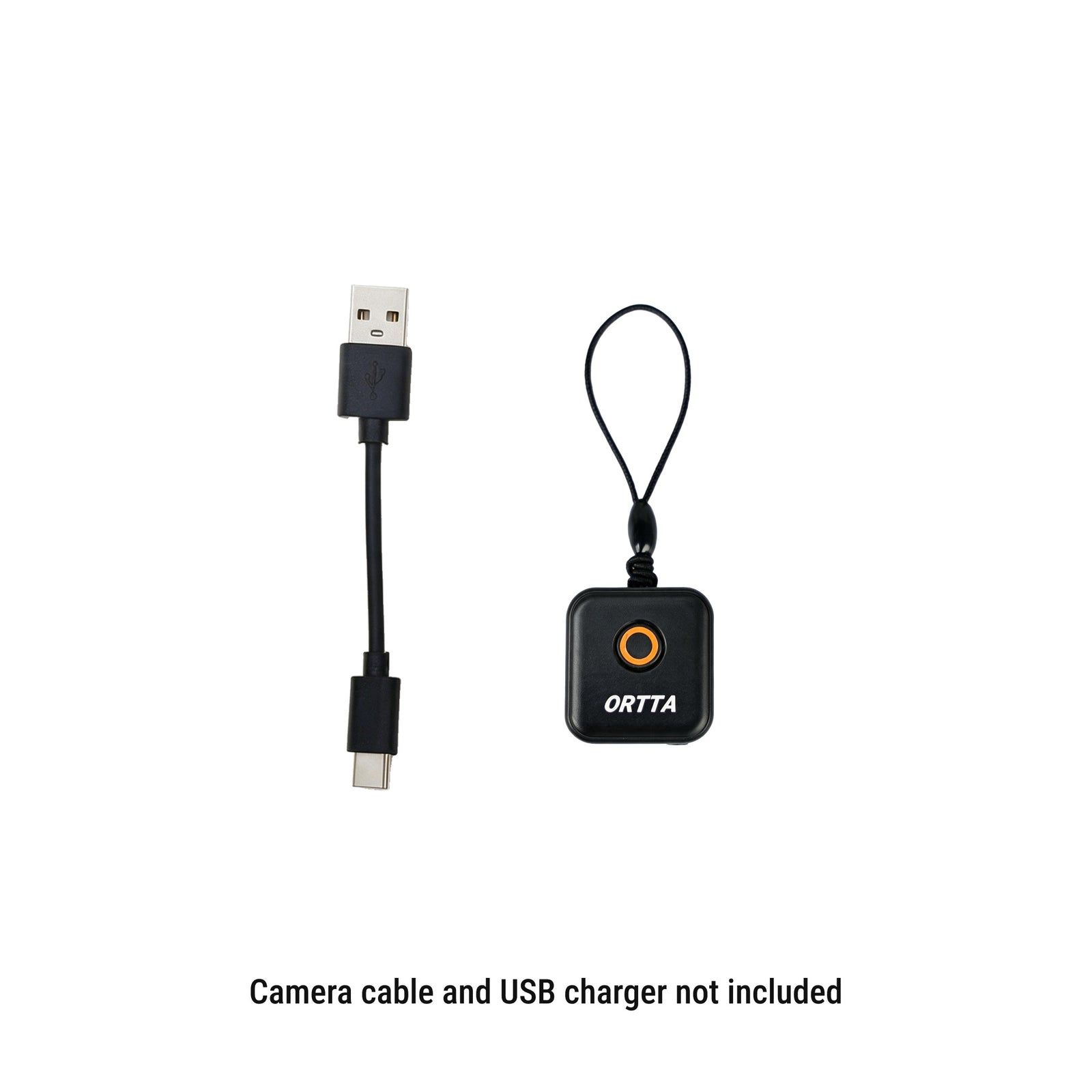
- Io
- Lanyard
- USB-A to USB-C charging cable
Not included: adapter plug and USB charger. There are about ten adapter plugs, so choose the one for your camera.


Frequently asked questions
What is the difference between Io and Io Pro?
Io fires the camera over a shutter-release cable. Io Pro connects over the camera USB port, so it can also show live preview, send photos to your remote, watch and the Ortta app, and write the phone position into Canon photos. The shooting programs are the same. See the comparison table above.
Does it work with my camera?
Io works with any camera that has a remote-release socket. Camera brands use different plugs, so find the adapter plug for your model in the compatibility list.
Does my camera need Bluetooth?
No. Io uses the shutter-release socket, so it works with any camera that has one.
Do I need Io if my camera has Bluetooth?
Not to fire it. Jupiter and Pluto 2 control cameras with a Bluetooth remote directly. Io is for cameras without Bluetooth, and for running programs on the camera side.
Which adapter plug do I need?
It depends on the remote-release socket of your camera. There are about ten plugs, one or more for each camera model, and they are not in the box. Check the camera list.
Can I fire several cameras at once?
Yes. Put an Io on each camera and enable them on Jupiter, Jupiter Pro, Pluto 2 or Pluto 2 Pro. Up to 6 devices can be enabled and one press fires all of them, together with action cameras and your phone.
Can I leave Io on the camera?
Yes. Io hangs on a lanyard and plugs into the camera only when you need it. With no remote or app connected, it turns itself off after 30 minutes, so it does not drain the battery.
Does the program keep running if my remote turns off?
Yes. The programs run on Io, so the camera keeps shooting. When the remote connects again it shows the program that is running.
Does Io change my camera settings?
No. Io fires the shutter only. Set exposure, ISO and aperture on the camera first. For HDR, set the camera to BULB mode.
Can I see live preview or my photos?
No. Io only releases the shutter. For live preview and photo review, choose Io Pro.
Can it add GPS to my photos?
The standard Io cannot. Nikon cameras get the position through Ortta Io for Nikon, a dedicated Io with a 10-pin or GPS terminal connector. Jupiter Pro, Pluto 2 Pro or the Ortta app send the position to it.
Can it fire my camera from the Pluto 2 sensors?
Yes. Pluto 2 and Pluto 2 Pro can fire the camera through Io with lidar, laser, sound and their other sensors, with no cable between Pluto 2 and the camera.
How many remotes can connect at once?
Up to 2 devices, for example Jupiter Pro and the Ortta app. A third can connect after one disconnects.
How long does the battery last?
About 8 days connected. A full charge takes about 30 minutes.
How do I update the firmware?
Over Bluetooth with the nRF Connect app on your phone. No computer or cable is needed. See the manual for the steps.
More details in the Io manual.