


Pre-Order
Jupiter
$47.20 USD$59.00 USD
Pocket Bluetooth remote with a color screen. Fire cameras, action cameras and your phone, several at once.
- Canon, Sony, Nikon, Fujifilm and Panasonic cameras with Bluetooth remote; GoPro, Insta360 and DJI Osmo Action
- Fires up to 6 devices at once: photo or video on every camera and your phone together
- Live preview and photo review with the Ortta Camera app, Io Pro or Pluto 2 Pro
- Bluetooth keyboard and media remote. 30 g, about 16 hours of battery
See the camera compatibility list.
ORTTA
One Remote to Trigger Them All
Pocket size
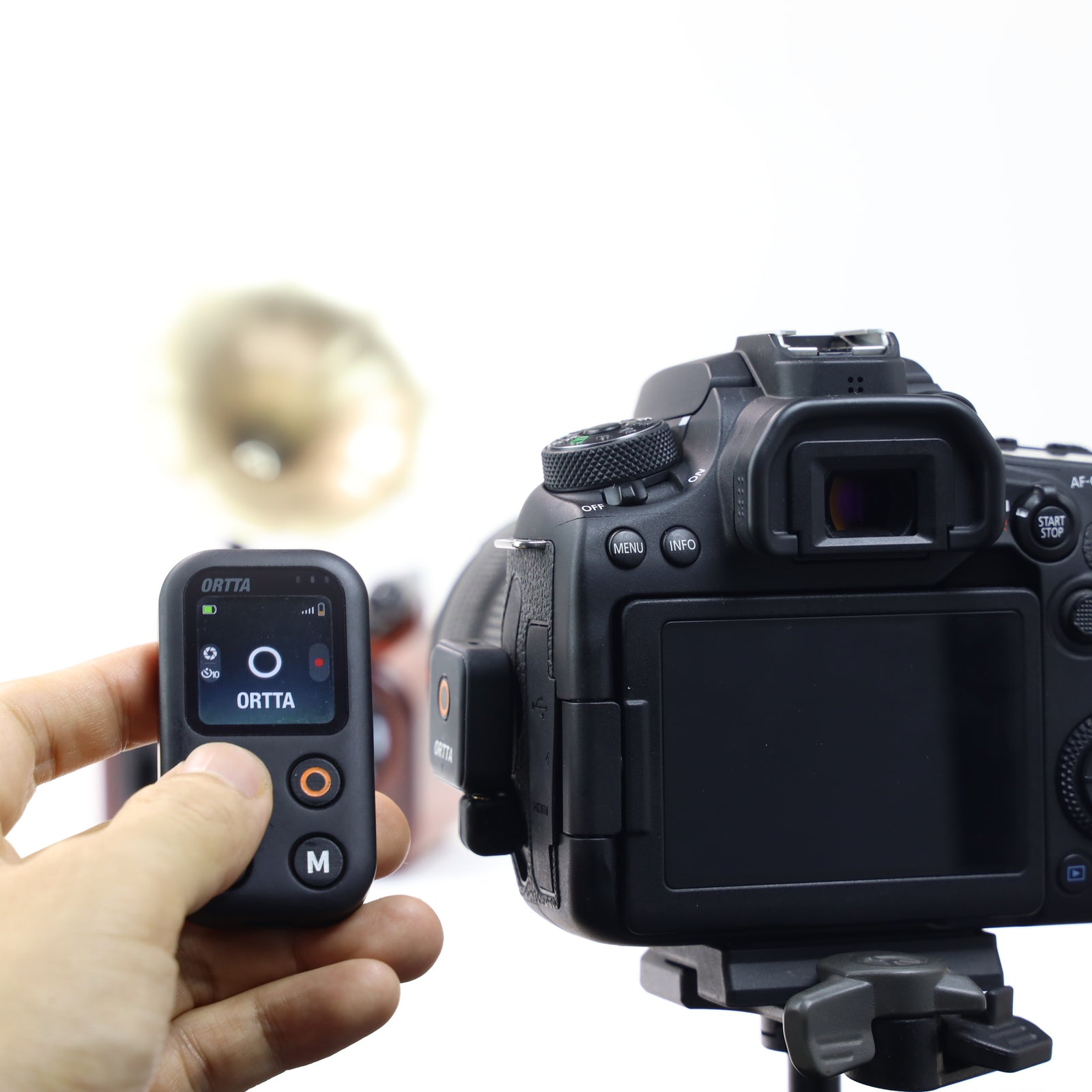
66 mm long and 30 g. Three shooting buttons: Shutter, Video and Setting. Pair your camera once and Jupiter reconnects by itself, even when the camera has gone to sleep. Hold Shutter for a 10-second self-timer.


Several cameras at once
Enable up to 6 devices and every press goes to all of them. Shutter takes a photo on every connected camera. Video starts and stops recording on your cameras, action cameras and phone together. Shoot one subject from several angles, or record video on a GoPro while a camera takes the stills.
Color screen
See the camera it is connected to, its battery and card status, the recording time and the signal strength, without taking the camera out.
Live preview and photo review
Hold Video to see what the camera sees, and check each photo as you take it, with the Ortta Camera app, Io Pro or Pluto 2 Pro.

Reach any camera through Io and Pluto 2
For a camera without Bluetooth remote, pair Io, Io Pro, Pluto 2 or Pluto 2 Pro. Jupiter sends Shutter and Video to the device, and the device fires the camera.
One remote for your cameras
Bluetooth cameras, action cameras and your phone. Every press goes to all enabled devices, up to 6 at once.
Bluetooth cameras
Canon, Sony, Nikon, Fujifilm and Panasonic cameras with Bluetooth remote. Photo and video, no cable needed.
Action cameras
GoPro, Insta360 and DJI Osmo Action: record, switch mode, sleep and wake.
Phone camera
Take photos and video with the Ortta Camera app on iOS and Android.
Several at once
Pair up to 10 devices and enable up to 6. One press fires them all.
Ortta devices
Fire any camera with a shutter-release port through Io, Io Pro, Pluto 2 or Pluto 2 Pro.
Self-timer
Hold Shutter for a 10-second countdown. Click it again to cancel.
Also a keyboard and media remote
Pair it with a phone, tablet or computer. Double-click Setting to switch mode.
Camera
Take photos with the phone's own camera app and switch lens.
Music
Play, pause, skip tracks and change the volume.
Slideshow
Next and previous slide, full screen and black screen.
Jupiter vs Jupiter Pro
 Jupiter |
 Jupiter Pro |
|
|---|---|---|
| Size | 66 × 36 × 11 mm | 112 × 35 × 10 mm |
| Weight | 30 g | 47 g |
| Bluetooth cameras | Yes | Yes |
| Action cameras | Yes | Yes |
| Phone camera and keyboard remote | Yes | Yes |
| Devices at once | Up to 6 | Up to 6 |
| Infrared | – | Yes |
| Shutter cable port | – | Yes |
| Canon Wi-Fi (CCAPI) | – | Yes |
| Built-in programs | – | 9, including Voice |
| GPS | – | Yes |
| Pluto 2 and Io | Fire the shutter | Fire the shutter and start programs |
| Battery | 500 mAh | 800 mAh |
| Runtime, connected | About 16 h | About 20 h |
Get the Ortta apps
Ortta app
Update the firmware of Jupiter, with automatic safe rollback.


Ortta Camera
Turn a phone into a camera that Jupiter can control.


Connect your camera
Cameras with a Bluetooth remote connect with no cable.


Bluetooth cameras
Canon, Sony, Nikon, Fujifilm and Panasonic cameras with Bluetooth remote.
Action cameras
GoPro, Insta360 and DJI Osmo over Bluetooth.
Phone camera
Use the Ortta Camera app.
Ortta devices
Io, Io Pro, Pluto 2 and Pluto 2 Pro fire any camera with a shutter-release port.
Phone or computer
Use Jupiter as a Bluetooth keyboard and media remote.
Several at once
Enable up to 6 devices and fire them together.
All trademarks belong to their respective owners.


All Major Brands
Jupiter fires cameras with a Bluetooth remote directly. For an older camera that only has a shutter-release socket, pair an Io or Pluto 2 and Jupiter fires it through that device. Check the compatibility list for your camera. Need infrared or a built-in cable port? See Jupiter Pro.


The Ortta system
Ortta system
Jupiter sends Shutter and Video to Io, Io Pro, Pluto 2 and Pluto 2 Pro. To start their programs, such as a timelapse, use Jupiter Pro.
Specs
| Size | 66 × 36 × 11 mm |
|---|---|
| Weight | 30 g |
| Screen | Color LCD, 240 × 240 |
| Buttons | Shutter, Video, Setting and Power |
| Connections | Bluetooth |
| Battery | 500 mAh rechargeable Li-ion, charges in about 1 hour |
| Runtime | About 16 hours connected |
| Bluetooth range | 10-20 m in open space |
| Port | USB for charging |
What's in the box

- Jupiter
- USB charging cable
- Storage pouch
Not included: USB charger.


Frequently asked questions
What is the difference between Jupiter and Jupiter Pro?
Jupiter Pro adds infrared, a shutter cable port, Canon Wi-Fi (CCAPI), GPS, built-in shooting programs, voice commands, Image Review and the ability to start the programs of Pluto 2 and Io. It also has a larger battery. Jupiter is smaller and lighter and covers Bluetooth cameras, action cameras and your phone. See the comparison table above.
Does it work with my camera?
See the full camera list. Jupiter connects over Bluetooth to cameras with a Bluetooth remote. For other cameras, pair an Io, Io Pro, Pluto 2 or Pluto 2 Pro and Jupiter fires the camera through it.
Can I fire several cameras at once?
Yes. Jupiter holds up to 10 paired devices and 6 can be enabled at once. Each press is sent to all enabled devices, so one press can take a photo or start video on a camera, a GoPro, Insta360 or DJI Osmo, and your phone together.
Does it have infrared or a shutter cable port?
No. Use an Io, Io Pro, Pluto 2 or Pluto 2 Pro to fire a camera that has no Bluetooth remote, or choose Jupiter Pro, which has infrared and a 2.5 mm shutter cable port built in.
Which action cameras work?
GoPro, Insta360 and DJI Osmo Action. Jupiter starts and stops recording, switches mode, and puts the camera to sleep or wakes it.
Can it control Pluto 2 and Io?
It sends Shutter and Video to Io, Io Pro, Pluto 2 and Pluto 2 Pro. It cannot start their programs, such as a timelapse. Use Jupiter Pro for that.
Can I see live preview and my photos?
Yes, with the Ortta Camera app, an Io Pro or a Pluto 2 Pro connected to a camera. Hold Video to start live preview. Each photo also appears as a preview for a few seconds. Other cameras do not send images. Live preview is sent over Bluetooth, so it is not real-time: expect a delay of 0.2 to 2 seconds and 2 to 8 frames per second, depending on the camera.
What if the camera has gone to sleep?
Press Shutter or Video. Jupiter wakes the camera, reconnects, and then carries out the press. GoPro and Insta360 cameras disconnect when they sleep, so Jupiter shows them as searching until they wake.
Can it control a phone or computer?
Yes. Use the Ortta Camera app to control your phone's camera, or use Jupiter as a Bluetooth keyboard and media remote for camera, music and slideshows.
Does it work without a phone?
Yes. You pair cameras on Jupiter itself. The Ortta app is optional, and you use it to update the firmware.
How long does the battery last?
About 16 hours connected. A full charge takes about 1 hour.
How do I update the firmware?
Update it from the Ortta app. If an update fails, Jupiter rolls back to the previous firmware.
More details in the Jupiter manual.